
Optimize Your Setup
Remove Your Phone Case Before Charging
Phone cases are designed to protect devices, but some can interfere with wireless charging efficiency. Thick materials, built-in stands, or hidden metal plates can block or weaken the energy transfer. Removing the case before charging allows the coils in the phone and charger to align more closely. This closer contact reduces energy loss and helps the charger work more efficiently. Many people notice that charging starts faster after this simple step. Making it a habit at home can significantly improve overnight charging results.
Perfect Your Phone’s Position on the Pad
Wireless charging relies heavily on precise alignment between the phone and the charging pad. Even being slightly off-center can slow charging or stop it altogether. Taking a moment to adjust placement ensures the internal coils match properly. Some chargers have markings or raised edges that help guide positioning. Checking the screen briefly to confirm charging has started avoids wasted time. Consistent placement becomes second nature with daily use.
Manage Power and Heat
Use Airplane Mode While Charging
Wireless charging works best when the phone is not actively using power. Background notifications, data syncing, and wireless signals all compete with charging speed. Turning on Airplane Mode reduces these activities and allows more energy to go into the battery. This is especially useful during short charging sessions when time matters. Even a small reduction in power usage can make a noticeable difference. It is a simple trick that works well during rest periods.
Keep Your Phone and Charger Cool
Heat is one of the biggest enemies of fast wireless charging. When a device gets warm, the charging speed is often reduced automatically to protect the battery. Placing the charger in a cool, well-ventilated area helps prevent this slowdown. Avoid charging on soft surfaces like beds or couches that trap heat. Removing the phone case also helps with temperature control. Keeping things cool leads to more stable and consistent charging.
Upgrade Your Gear
Invest in a Fast Wireless Charger
Not all wireless chargers perform the same, even if they look similar. Older or basic models often limit charging speed due to their design. Choosing a well-built charger that supports higher power output can make a noticeable difference in charging efficiency. For example, if you’re looking for an iphone wireless fast charger that balances speed with everyday safety, reliable brands like Anker—known for stable performance and effective heat management—are often a trustworthy choice. A quality charger ensures your phone actually receives the maximum power it supports, and this kind of upgrade typically delivers the most visible improvement in your charging experience.
Always Use the Official Power Adapter
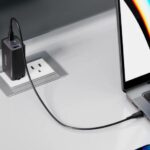
The power adapter connected to your wireless charger matters more than many people realize. A low-power adapter can bottleneck charging speed even if the pad itself is capable of more. Using a properly rated adapter ensures the charger receives enough power to operate efficiently. Mixing random adapters from old devices often leads to inconsistent results. Matching the adapter to the charger’s requirements is a smart habit. This small detail supports stable and faster charging.
Adjust Your Habits
Avoid Using Your Phone While Charging
Using your phone during wireless charging reduces the net power going into the battery. Activities like video streaming, gaming, or even scrolling social media consume energy quickly. This creates the impression that charging is slow or not working at all. Setting the phone down and letting it rest improves charging efficiency. This is especially important during short charging windows. Treating charging time as rest time benefits both speed and battery health.
Charge Before Your Battery Gets Too Low
Wireless charging tends to be most efficient when the battery is not extremely low. When the battery is nearly empty, the phone may manage power more conservatively to protect itself. Topping up earlier avoids this slow initial phase. Regular short charges are often faster overall than waiting for a deep recharge. This habit fits well into daily routines at work or home. It also reduces long-term battery stress.
Conclusion
Improving wireless charging speed often comes down to small, practical adjustments rather than major changes. Simple steps like better positioning, reducing heat, and adjusting usage habits can make a noticeable difference. Investing in quality equipment and using the right power adapter further supports consistent performance. Wireless charging may never match wired charging speed exactly, but it can be optimized for everyday convenience. With a little awareness and patience, wireless charging becomes smoother and less frustrating. These hacks help you get the most out of a technology designed to make daily life easier.